


RiseGuide: Expert Insights
4.2693.00 Reviews
App Specs
- Version
- 2.0.1056
- Updated On
- License
- Free
- Downloads
- 100,000+
- Developer
- RiseGuide
- Categories
- Education
- Platform
- Android
Screenshots
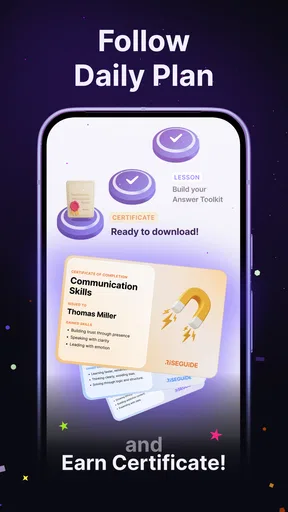
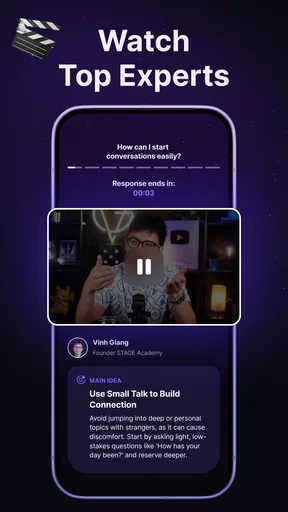
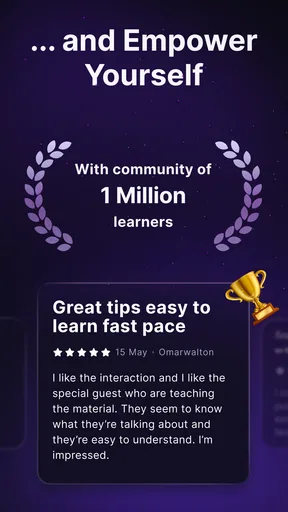
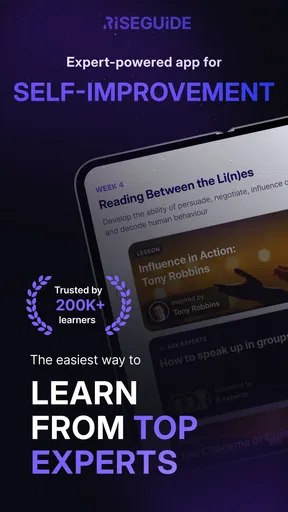
 Analysis by AppCompare
RiseGuide: Expert Insights is an education app from RiseGuide that I would describe as a compact daily practice space for people who want to communicate more clearly and build better self-improvement habits. Its focus is not on collecting information for its own sake. Instead, it brings articulation training and communication practice into a routine that feels easier to repeat than a formal course.
I approached it as someone trying to improve everyday speaking rather than prepare for a specialist qualification. That distinction matters. The app makes the most sense when you use it regularly, pay attention to how you speak, and turn each lesson into a small action outside the app. If you only open it occasionally and expect a dramatic change after a few sessions, it will probably feel less useful.
It is free to download, available to everyone, and works on Android devices running version 7.0 or later. Optional in-app purchases range from around ten dollars to around eighty dollars per item, so I would explore the free experience carefully before deciding whether any paid option fits your goals.
Building a practical baseline routine
My preferred way to use RiseGuide is to give it a fixed place in the day. I would not treat it like a reference book that I open only when I remember. A short session before work, before a class, or before a meeting gives the lessons a clear purpose. The important part is not rushing through the material; it is noticing one speaking habit and carrying that awareness into a real conversation.
For example, I might use a lesson before a video call and choose one goal: pronounce key words more deliberately, avoid trailing off at the end of sentences, or explain an idea in a cleaner order. After the call, I can judge whether that single target helped. This makes the app more practical than simply reading advice and moving on.
The articulation focus is especially relevant for people who know what they want to say but feel that their delivery is unclear. That can happen when speaking quickly, using a quiet voice, or letting familiar phrases blur together. I found the subject easier to work with when I treated it as a physical speaking exercise rather than an abstract confidence problem.
Communication skills are broader than pronunciation, so I would use the lessons as prompts for behavior, not as a replacement for real interaction. A useful routine is to read the lesson, pause to identify the skill being discussed, and then create one sentence connected to your own day. Someone preparing to ask for feedback at work could rehearse the request. Someone returning to study could practice explaining a difficult topic in plain language.
Worth Reading Before You Choose

EA SPORTS FC Mobile 26 Is a Bigger Football Game, but It Takes Time

Flipboard Shows What News Apps Must Do Beyond the Feed

Switching to Android Auto Means Rethinking Your Driving Routine

Google Calendar Makes a Crowded Week Easier to Manage

Ludo King Makes the Most of the Minutes Between Plans

Baby Panda World Brings Quick Play to Modern Phones, but Its Game Library Feels Busy
This approach also answers an important question: is the app suitable for complete beginners? I think it can be, particularly for users who want gentle structure and do not know where to start. It is less suitable for someone seeking a formal diagnosis of a speech difficulty or individualized treatment. In that situation, a qualified speech professional is a better choice because an app cannot observe every detail of a person’s voice, breathing, hearing, or physical technique.
How I would turn a lesson into practice
I would begin by reading the lesson without trying to memorize every point. Then I would select one behavior that can be noticed during the day. If the topic concerns clearer articulation, I might slow down at sentence endings. If it concerns communication, I might ask a more direct question instead of adding unnecessary explanation.
Next, I would test that behavior in a low-pressure setting. Speaking aloud while preparing breakfast, leaving a voice message for myself, or explaining a plan to a friend can reveal whether the idea feels natural. The point is not to perform perfectly. It is to discover where the advice becomes difficult when attention is divided.
Finally, I would return to the same skill later rather than constantly jumping to a new one. This is one of the less obvious trade-offs with a daily lesson app: variety keeps the experience interesting, but repetition is what makes a speaking habit automatic. RiseGuide works better when I resist the temptation to treat every lesson as a separate task.
Settings and choices worth checking first
Before settling into a routine, I would look through the available app choices and make sure the experience matches the time I can genuinely give it. I would favor a schedule that is easy to maintain over an ambitious plan that makes the app feel like homework. If notifications or reminders are available on the device, I would use them only at a time when I am likely to act, not simply dismiss them.
I would also check how the current version behaves on my phone and keep the application updated when a new release is offered. The current version is 2.0.1056, and the app supports Android 7.0 and newer. That broad compatibility is helpful for people using older devices, although performance can still vary with the phone itself and the number of other apps running.
Another useful choice is deciding where the app belongs in a learning sequence. I would place it before a communication task when I need preparation, or after one when I want to reflect on what went poorly. Using it only at the end of the day can turn it into passive reading. Using it immediately before a real conversation gives the lesson a chance to influence behavior.
I would not change every available option at once. A better method is to adjust one part of the routine, such as the time of day or session length, and then observe whether I actually return more consistently. This matters because self-improvement tools often fail through friction rather than poor content. If opening the app feels like another large obligation, even useful lessons will be ignored.
People also ask whether a free app can be used without paying. RiseGuide is free to download, but it includes optional purchases, with individual items priced from around ten dollars to around eighty dollars. I would begin with the accessible material, decide whether the daily format suits me, and only then consider spending money. The paid options may be worthwhile for a committed user, but the value depends on sustained use rather than the price alone.
Faster patterns for experienced users
Once the basic routine feels familiar, I would stop treating every session as a complete lesson and start matching the app to a specific speaking situation. Before a presentation, I would focus on clarity and pacing. Before a difficult conversation, I would use communication guidance to simplify the main point. Before networking, I would practice introducing myself without adding a long explanation.
This situation-based approach is faster because it removes the need to apply everything at once. It also makes progress easier to notice. If I enter a meeting with one clear speaking target, I can remember whether I used it. If I try to improve articulation, confidence, listening, vocabulary, and persuasion simultaneously, I may leave without knowing what actually changed.
A second pattern is to keep a small personal list of recurring problems. I might write down “speaks too quickly when nervous,” “buries the main request,” or “uses vague endings.” After a lesson addresses one of those problems, I can test the advice during the next relevant conversation. This turns RiseGuide into part of a feedback loop instead of a stream of disconnected daily content.
A third pattern is to pair silent review with spoken practice. Reading a communication lesson can create the impression that I understand it, but speaking exposes the awkward parts. I would explain the idea aloud in my own words, then try it in a short example. This is particularly useful for articulation because the goal is not just knowing what clear speech means; it is producing it while thinking about something else.
I would also use the app as a warm-up rather than a substitute for conversation. Ten minutes of preparation cannot replace the unpredictability of another person’s questions, interruptions, or reactions. The strongest workflow is lesson, rehearsal, real interaction, and brief reflection. That sequence gives the advice somewhere to go.
For users who are short on time, the best shortcut is probably choosing one lesson theme for several days. Repeating the same communication principle in different situations reduces mental switching. It also helps reveal exceptions. For instance, speaking more slowly may improve clarity during a presentation but sound unnatural in a casual exchange if applied rigidly. The app can suggest a direction; judgment still comes from context.
Where it compares well with usual alternatives
Compared with random communication videos, RiseGuide offers a more deliberate path for someone who wants a daily habit. Video platforms can provide excellent demonstrations, but they also make it easy to watch one interesting clip after another without practicing. The app’s education-focused format is better suited to a person who wants a repeatable starting point.
Compared with a traditional book, the app feels more convenient for short sessions and easier to fit around a busy day. A book may offer deeper explanations and a larger framework, though, so readers who enjoy long-form study may find a book more satisfying. I see RiseGuide as a practice companion rather than a complete library of communication theory.
Compared with a speaking coach or speech-language professional, the app is less personal and less capable of adapting to subtle individual problems. Its advantage is accessibility and privacy in everyday practice. A coach becomes the better option when the user needs detailed feedback, accountability from another person, or help with a persistent speech issue.
Compared with language-learning software, RiseGuide appears more relevant to general articulation and communication behavior than to building a new language from the ground up. Someone who needs grammar drills, vocabulary progression, or conversation with native speakers should choose a language-specific tool instead. Someone who already knows the language but wants to express ideas more clearly may find this app more directly relevant.
Advanced limits and sensible expectations
The biggest limitation is that improvement still depends on what happens away from the screen. A lesson can remind me to articulate carefully, but it cannot make that habit automatic without repetition. Users who want instant confidence may become disappointed because communication is affected by nerves, knowledge, context, and the other person’s response, not only by technique.
There is also a risk of over-monitoring. If I concentrate on every sound, pause, and gesture during a conversation, I may become less present. I would use the app to select one focus at a time, then let the rest of the interaction happen naturally. Clear communication is not the same as sounding rehearsed.
Another limitation is the gap between general guidance and personal diagnosis. If a person regularly struggles to be understood, experiences pain while speaking, or suspects a hearing or speech condition, an educational app is not the right endpoint. Professional assessment is more appropriate. RiseGuide can support practice around a professional plan, but I would not use it to replace one.
The purchase structure is another point to consider. The app itself is free, while optional items can cost from around ten dollars to around eighty dollars each. That is a meaningful range for an education app, so I would avoid buying out of curiosity. I would first establish a routine, identify a specific need, and decide whether the extra material addresses that need better than free practice or another resource.
Its audience rating is Everyone, which makes the subject approachable for a broad range of users. Still, suitability is not only about age. A child, student, job seeker, teacher, or experienced professional may all use the same communication idea differently. Adults looking for highly specialized public-speaking training may want a tool designed specifically for speeches, presentation recording, or professional coaching.
RiseGuide also should not be judged as though it were a complete course with a guaranteed endpoint. I found more value in using it as a structured prompt system. It helps me decide what to practice today, but I remain responsible for choosing realistic examples, noticing whether a technique works, and adapting it to the situation.
Who should use it and who should skip it
I would recommend it to someone who wants a manageable entry into self-improvement, especially if articulation and everyday communication are the main concerns. It is a good fit for a person who likes short, regular guidance and is willing to practice aloud rather than only read. Students, job seekers, remote workers, and anyone preparing for more frequent conversations may appreciate that structure.
I would be more cautious about recommending it to someone who dislikes daily routines or expects highly customized feedback. It is also not my first choice for advanced speakers who already follow a detailed coaching plan. In that case, the app may be useful for occasional prompts, but a specialist resource could offer more depth.
The app has reached over one hundred thousand installs and holds an average rating of 4.2 from around four thousand ratings, with several hundred written reviews. Those figures suggest that it has found a real audience, but they do not remove the need to test whether its teaching style matches the way you learn. I would treat the public response as encouragement, not as a guarantee of personal results.
My mastery verdict
After using RiseGuide as a daily communication companion, I see its strongest quality in the connection between a small lesson and a real speaking moment. It is easy to understand the appeal of a quick self-improvement session, but the app becomes genuinely useful only when I attach each session to something I will say, explain, ask, or rehearse that day.
The most effective workflow is simple: choose a realistic time, select one skill, practice it aloud, use it in a real interaction, and return to the same issue until it feels less deliberate. Experienced users can make the process faster by organizing lessons around upcoming situations and keeping a short list of recurring speaking problems. Those habits add more value than trying to consume every lesson as quickly as possible.
My final view is positive but measured. RiseGuide is a practical education app for building awareness and consistency around articulation and communication. It is not a replacement for a professional, a full language course, or real conversation. If you want a free starting point and are prepared to do the work beyond the screen, I think it is worth trying. If you need diagnosis, advanced specialization, or intensive personal correction, I would choose a more targeted alternative instead.
Developed by RiseGuide and released on December 5, 2024, the app is still best understood as a tool for repeatable practice rather than a promise of instant transformation. For me, that is the right standard: one clearer sentence, one better question, or one more confident explanation at a time.
Pros
- Clear expert guidance makes complex topics easier to understand.
- Useful insights can support more confident personal decisions.
- Clean presentation helps users browse information comfortably.
- Content may appeal to both beginners and experienced users.
- Regularly updated advice can keep information timely and relevant.
Cons
- Some expert content may require a subscription or in-app purchase.
- Advice may not suit every user’s personal situation or goals.
- The quality of insights can vary between topics or contributors.
- Limited offline access may make the app less useful without internet.
- Users may need to verify important advice with trusted professionals.
FAQs for RiseGuide: Expert Insights
What is RiseGuide: Expert Insights, and what can I use it for?
RiseGuide: Expert Insights is designed to provide users with guidance, educational content, and practical recommendations in an easy-to-follow format. Depending on the topics available in the current version, it may help you explore expert perspectives, develop better habits, understand personal-growth concepts, or find answers to everyday questions. It is best viewed as an informational companion rather than a substitute for qualified professional advice.
Is RiseGuide: Expert Insights free to download and use?
The application may be available to download at no initial cost, but some features, content collections, or advanced tools can require in-app purchases or a subscription. Before confirming any payment, review the pricing page, renewal terms, and trial conditions shown in the app store or within the application. Availability of free content and premium options can also vary by device, region, and version.
Does RiseGuide: Expert Insights provide advice from qualified professionals?
The app’s name suggests an emphasis on expert insights, but users should check how each piece of content is sourced and whether contributors’ qualifications are clearly identified. Informational guidance can be useful for learning and reflection, yet it should not replace advice from a licensed doctor, therapist, financial adviser, lawyer, or other specialist. For important decisions, verify recommendations with an appropriate professional.
Does RiseGuide: Expert Insights require an internet connection?
An internet connection may be needed to download the app, create or synchronize an account, load new insights, display media, and process subscriptions. Some previously opened content might remain available offline, although this depends on the app’s design and the specific feature. If you plan to use RiseGuide while traveling or with limited data, check which sections can be accessed without a connection.
What privacy information should I consider before using RiseGuide: Expert Insights?
Before creating an account or sharing personal information, review the app’s privacy policy and the data-safety details listed on Google Play or the App Store. Pay attention to whether the app collects account details, usage activity, device information, or responses entered into personalized features. Avoid submitting highly sensitive information unless you understand why it is requested, how it is stored, and whether it can be deleted.


